
A booking page your golfers will actually enjoy using.
Every CourseOS course gets its own branded booking page — fast on a phone, clear on price, and connected straight to your tee sheet. Public, semi-private, or members-only.
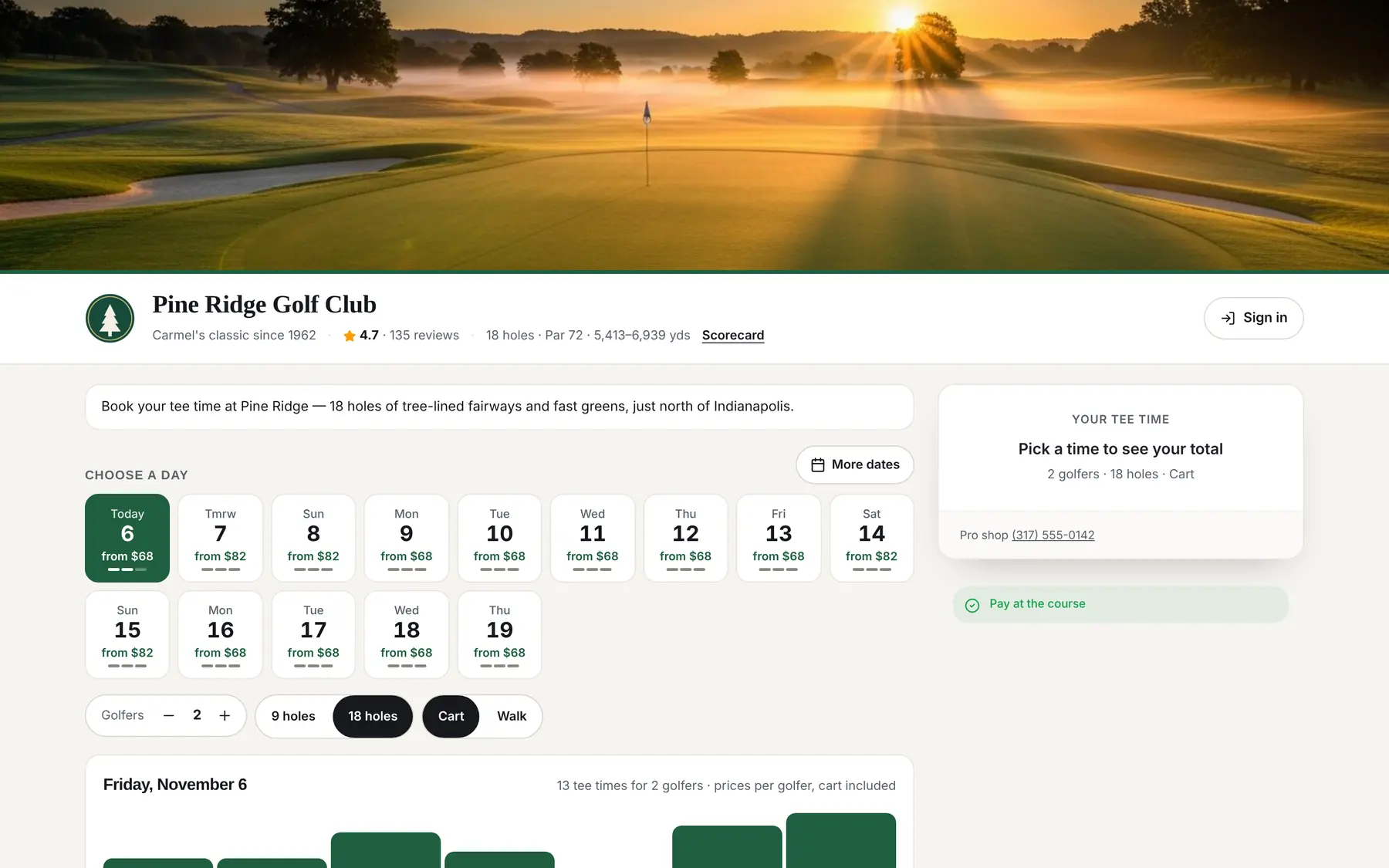
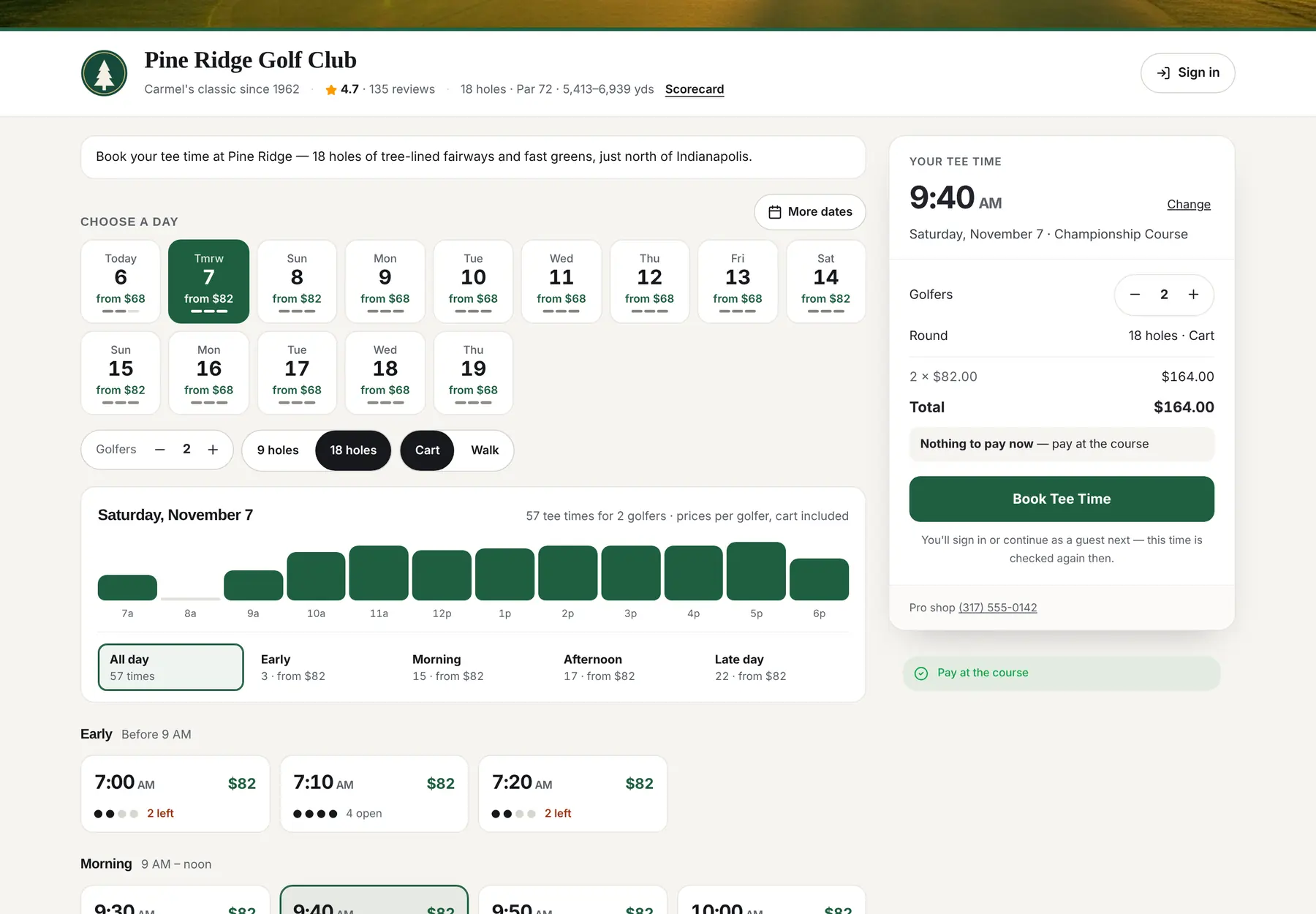
Pick a day, pick a time, done.
Your logo, your course facts, your scorecard, and your prices — with your color as an accent, not a paint job.
- Two weeks at a glance, each day showing its lowest price.
- Filters golfers use: number of players, 9 or 18, ride or walk, morning or afternoon.
- Honest prices: price × golfers, tax, total, and what's due today — before they commit.
- Each golfer rides or walks, and the total updates to match.
- Multi-course facilities show each course's own times and prices.
Pine Ridge Golf Club · 18 holes
Every way a golfer wants to pay — online too.
Gift cards, online
Golfers buy gift cards on your site and redeem them when they book — the balance follows the card at the counter and online.
Rainchecks and promo codes
A raincheck from last week or a promo code from your newsletter applies right at online checkout.
Pay now, deposit, or at the course
Your booking rules — and TeeLock™ — decide when a golfer pays. Payments go straight to your Stripe account.
Less phone time for your pro shop.
Share with the group
A share link shows the tee time to the rest of the group — no prices, no way to cancel someone else's round.
Cancel or change themselves
Golfers cancel from their confirmation email inside your cancellation window, and the time opens back up on your sheet.
Playing partners and waitlists
Signed-in golfers add their regular partners in a tap, and join a waitlist when a time is full.
Members only means members only.
Switch your course to private and the booking page becomes a members' entrance. Everyone else sees your club card — and an application.
- Only active members can book online — expired, suspended, or overdue dues pause online booking automatically.
- Member prices appear automatically once a member signs in with their verified email.
- Membership applications come straight into CourseOS for you to approve.
- Members-only events stay hidden from the public.
Oak Hollow Country Club
Online tee times are for members.
Coming at launch.
Tee Tours ID — one golfer sign-in everywhere
Golfers sign in once with Face ID, a fingerprint, or Apple or Google, and they're signed in at every CourseOS course. Members see their prices automatically. Your golfers stay your customers. How Tee Tours ID works
Online booking with a real name on every tee time
Golfers sign in with their Tee Tours ID to book online, so every online booking comes from a real, verified golfer — TeeLock™ works, and members see their prices. Phone and counter bookings don't need an account.
See your booking page
Schedule a 30-minute demo and we'll show you the golfer's side and the tee sheet side together.